Fewer calls and texts. Your tenants sort it in their app.
Each tenancy comes with an app for your tenant. They check what they owe, report repairs with photos and find their own agreement and certificates. What they do arrives in your app, on the right tenancy.
In every plan. You invite tenants with a link, and there’s nothing for them to install or pay.

Each of these is a call you’d otherwise take.
- “Can you send me a receipt?”
- Every payment has one in their app, naming the period it covers and the day it cleared.
- “Is my deposit protected?”
- The scheme, the reference and the date it was protected are on one screen.
- “When is someone coming round?”
- You propose a visit and they agree or ask for another time in the app. The notice you gave is recorded.
- “I never agreed to that mark.”
- They agreed the inventory line by line at the start, in the app, and can’t sign it off unread.
- “Can I keep a cat?”
- They ask in the app and you answer there. The answer is kept for when the deposit comes back.
- “I can’t pay it all this month.”
- They can propose a payment plan. One whose instalments wouldn’t clear the arrears is turned down before it reaches you.
They do it in their app. It arrives in yours.
A photo your tenant takes is on the repair job you open, and an answer they give is on the tenancy it belongs to.
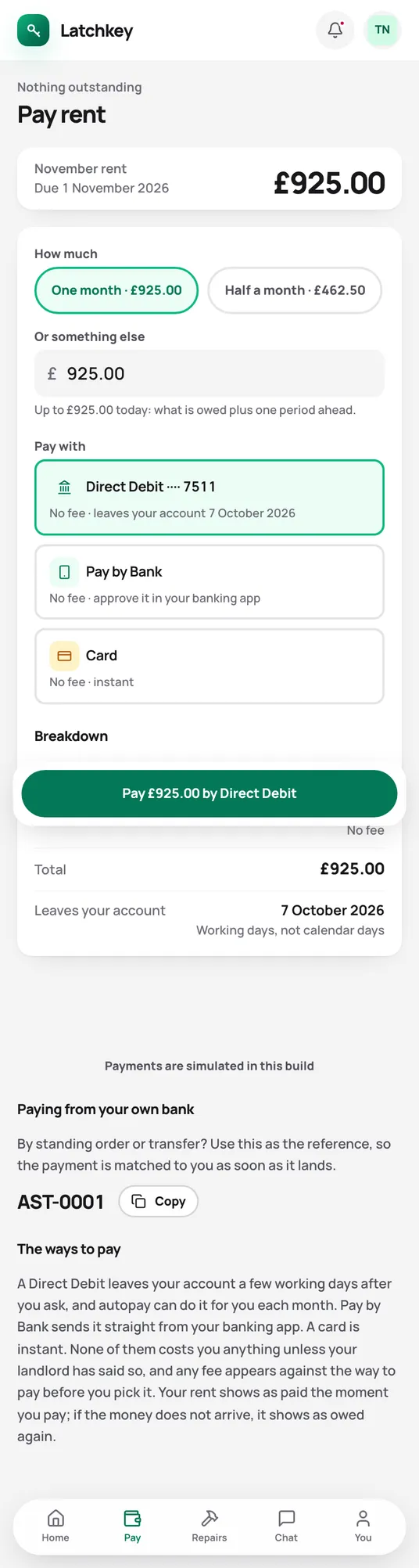
What they owe, and how to pay it
Their rent, their balance and their own payment reference. Soon: paying by Direct Debit, Pay by Bank or card in the app.
In your app Payments with their reference matched to their rent when you upload your statement.
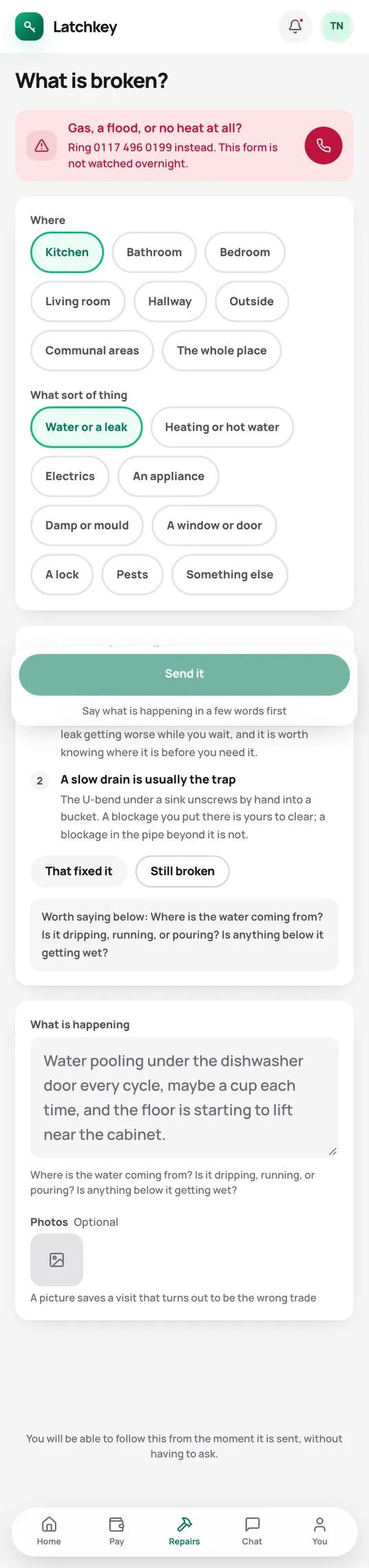
Repairs reported with photos
They say where it is and what’s wrong, add photos, and follow the job through to done.
In your app A repair job with the photos on it and its deadline counted from the report.
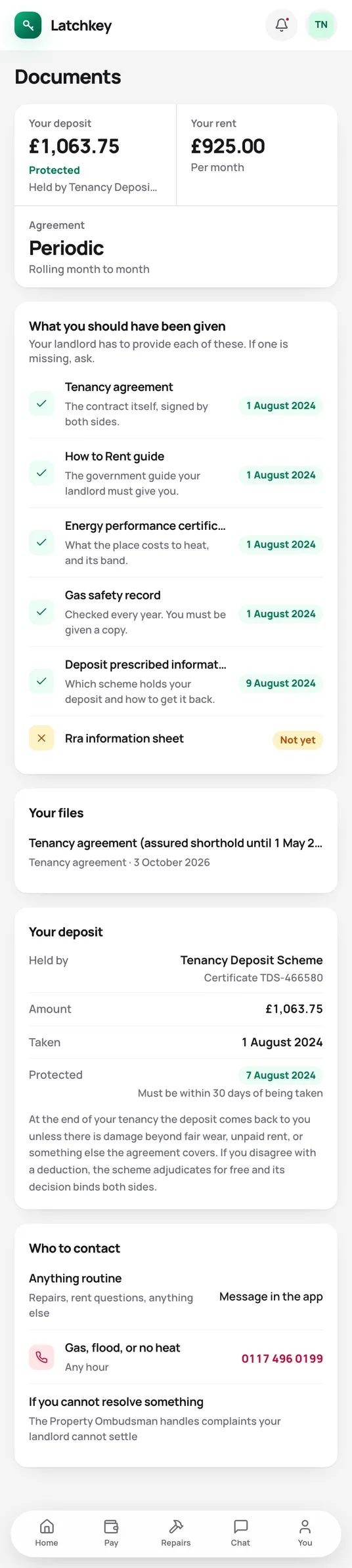
Documents they find themselves
The tenancy agreement, gas and electrical certificates, the EPC and their receipts.
In your app No more digging out the gas certificate and emailing it again.

Rent increases answered
They accept it, or see how to challenge it and the deadline for doing so.
In your app Their answer next to the rent review, with the date they replied.
The questions they’d ask you, answered in the app.
Money
- Every charge and payment, with the balance
- Their own reference for paying by transfer
- A rent book that prints
- Their share of the service charge, and how it was worked out
The home
- Repairs with photos, followed to done
- Visits agreed or moved
- Meter readings
- Asking permission for a pet, a lodger or decorating
- Emergency numbers, and who fixes what
The tenancy
- The deposit: scheme, reference and protection date
- The agreement, certificates and receipts
- The inventory, agreed line by line
- Messages with you, in one thread
Moving out
- Giving notice, on a date the notice period allows
- A forwarding address
- Access to the deposit and final balance after they leave
It works in the phone’s browser. Tenants sign in with a link sent by email, so there’s no password for them to forget and for you to reset.
Give your tenants somewhere to sort it themselves.
Every plan includes the tenant app for every tenancy. Set up your first tenancy in the trial and send your tenant their link.
No card needed. Cancel from Settings.