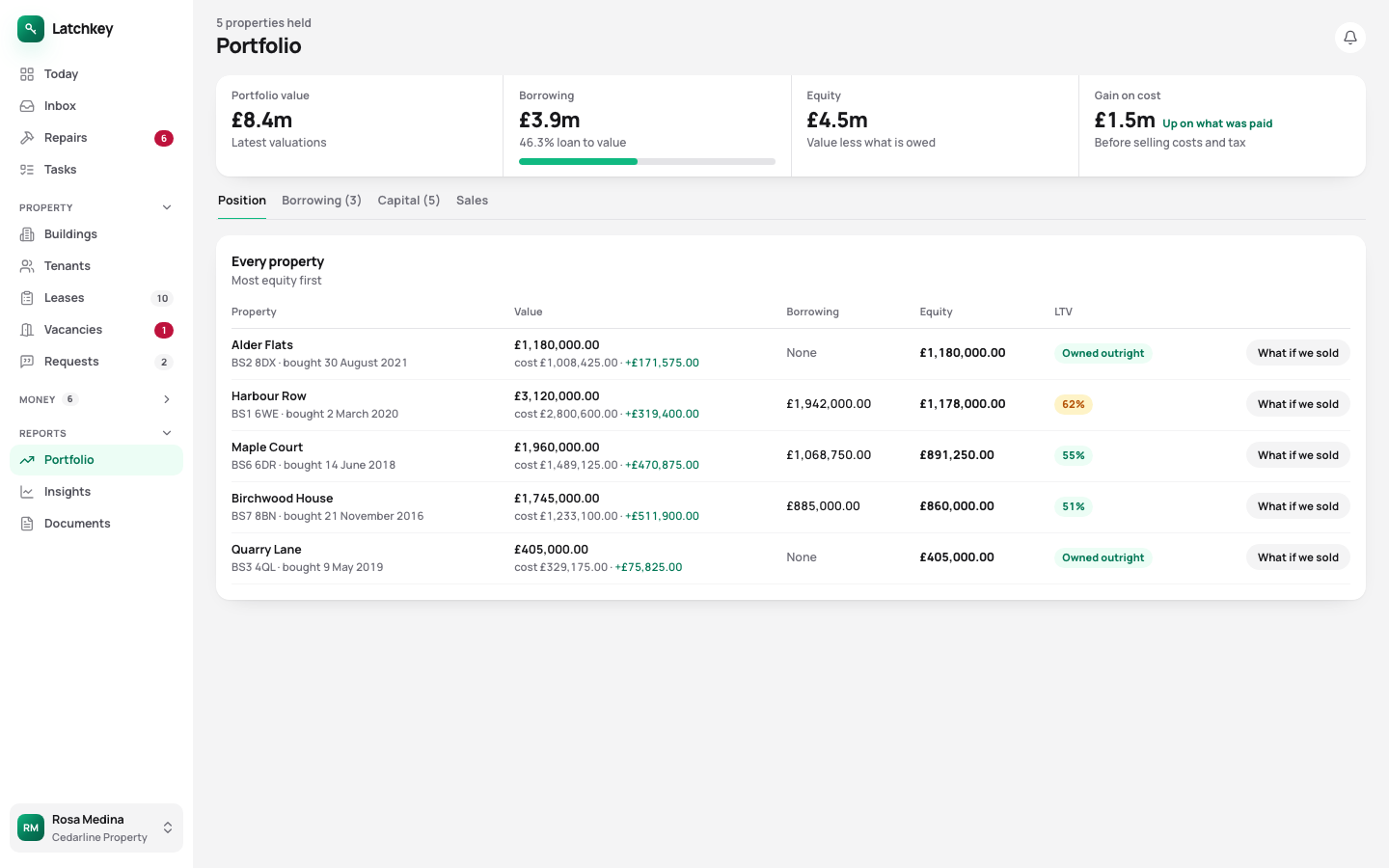
What it’s worth, what it owes and what next year costs.
Valuations and rent by group of properties, every mortgage payment split into interest and capital, and a projection at the rate you move to when the fix ends. You see the new payment months before it arrives.
14 days free. No card needed. In every plan.
 Open the whole screen
What happens, step by step.
- Step 1
Group your properties
Rent, occupancy and value for each group. Anything not grouped still counts in the totals.
- Step 2
Add your mortgages
Interest and capital are worked out from the balance and the rate, through the end of the fixed term.
- Step 3
Set a budget
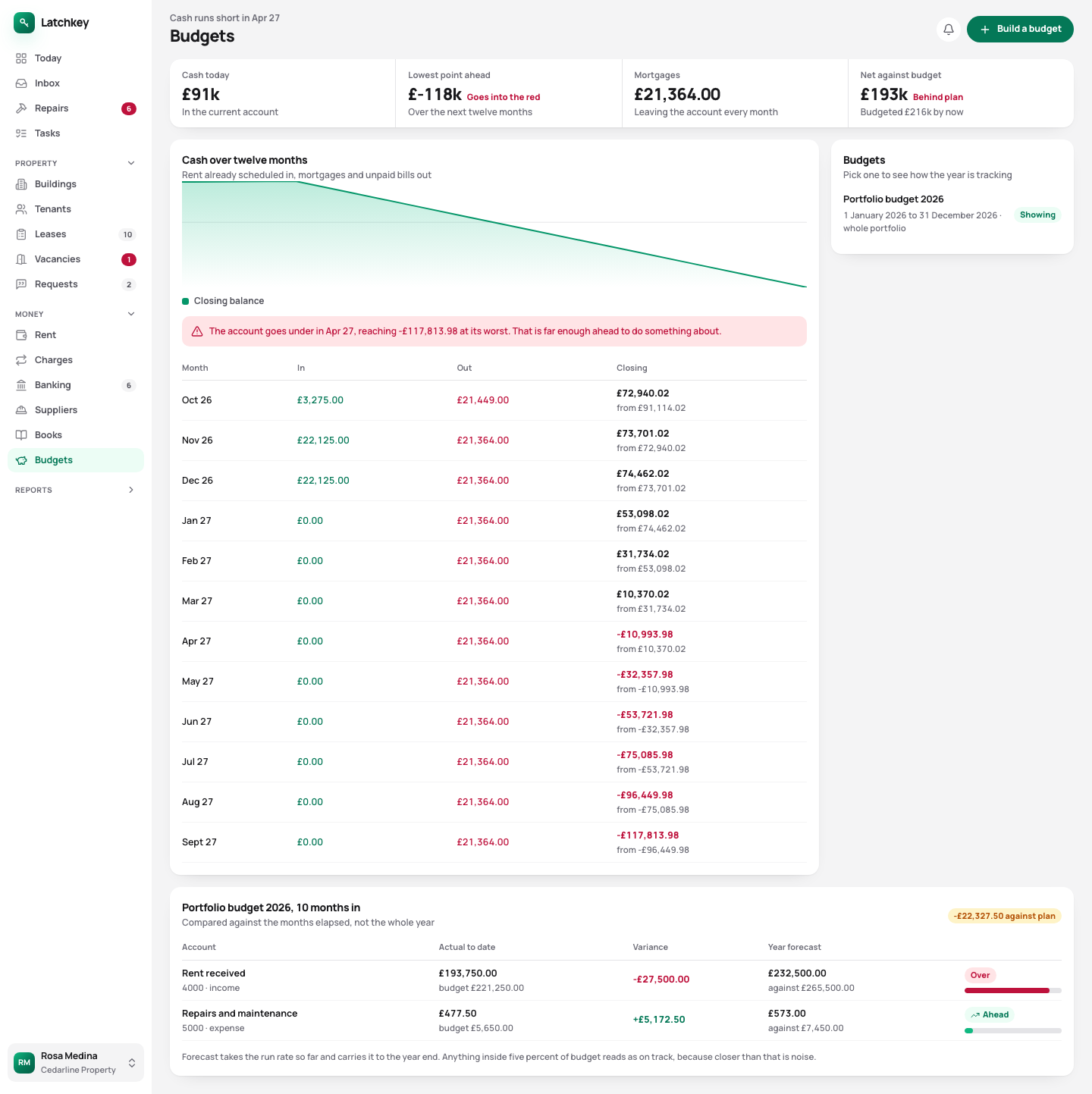
It’s measured against the months gone so far, so an overspend shows in May rather than November.
What your portfolio is worth, what it owes, and what next year looks like.
- Portfolios that report together
- Rent, occupancy and value for each group, with anything ungrouped still in the totals.
- Interest split from capital
- Worked out from the balance and the rate on every payment, so you don’t copy it from a lender’s statement.
- The payment after the fix ends
- Each mortgage is projected through the end of its fixed rate at the rate it moves to, so the jump is a figure you’ve already seen.
- Budgets against the months gone
- Comparing five months of spending with a whole year’s budget makes everything look fine until November.
- Service charges shared by the day
- Split by days lived in, and the days a flat stood empty stay with you. Tenants see the same working in their app, which saves an argument.
Spending against the budget for the months gone, with the cash forecast underneath
 Open the whole screen
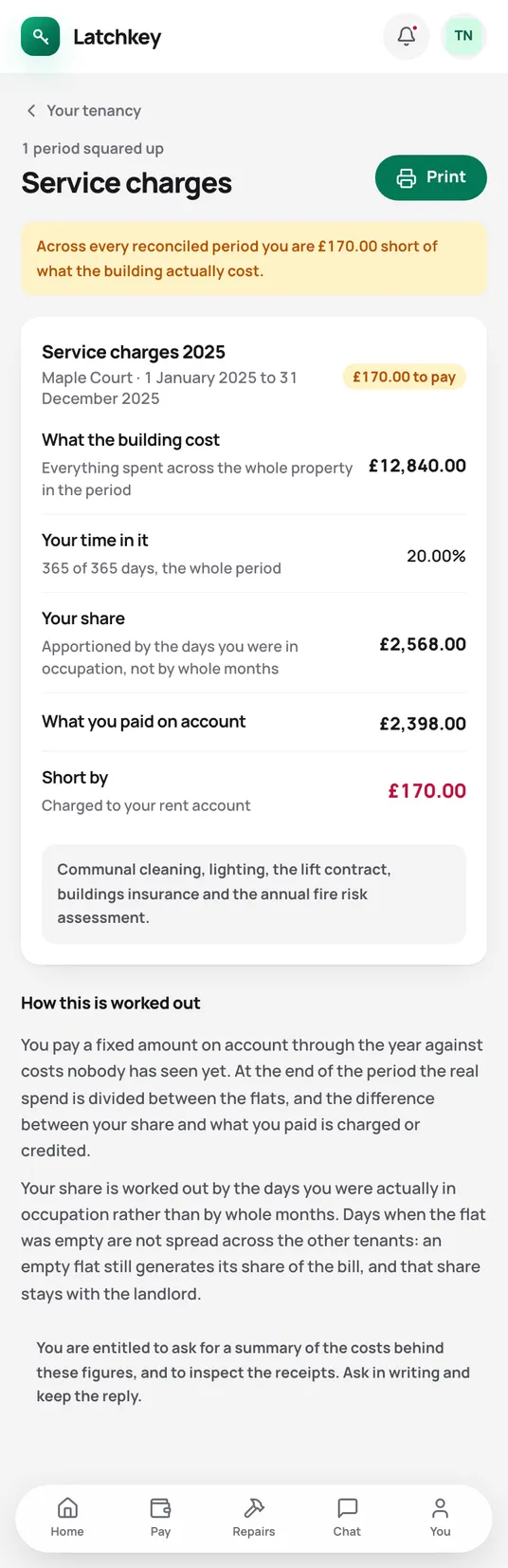
Fewer calls from your tenants.
Tenants see how their service charge share was worked out, days and all.
What the tenant app does for youThe rest of the job.
- Rent and arrears Rent charged when it’s due, arrears grouped by age, and reminders with the figures already in them.
- Repairs and compliance Repair deadlines counted from the report, urgent jobs raised on their own, and certificates renewed before they lapse.
- Lettings and notices Viewings, Right to Rent, deposit deadlines, inventories, rent reviews on Form 4A and Section 8 on Form 3A.
- Tax and Making Tax Digital SA105 figures kept all year, quarterly figures for Making Tax Digital, and VAT and capital gains when you need them.
- Books and accounts Profit and loss, balance sheet and trial balance from one set of records, with view-only access for your accountant.
- Banking and bills Bank statements imported without duplicates, rules that suggest rather than post, and bills approved before they’re paid.
- Documents and the team Templates with a preview, signing in the app, six team roles, a record of every change, and spreadsheet import.
Try it on your own portfolio.
The guided setup takes you through your first building, tenancy and tenant. Every feature is in every plan.
No card needed. Cancel from Settings.