Repairs with a deadline counted for you.
Tenants report repairs in their app, with photos. Each job gets a target time counted from the report, damp, mould and heating go straight to urgent, and anything past its target is flagged. Safety certificates open a renewal task before they run out.
14 days free. No card needed. In every plan.
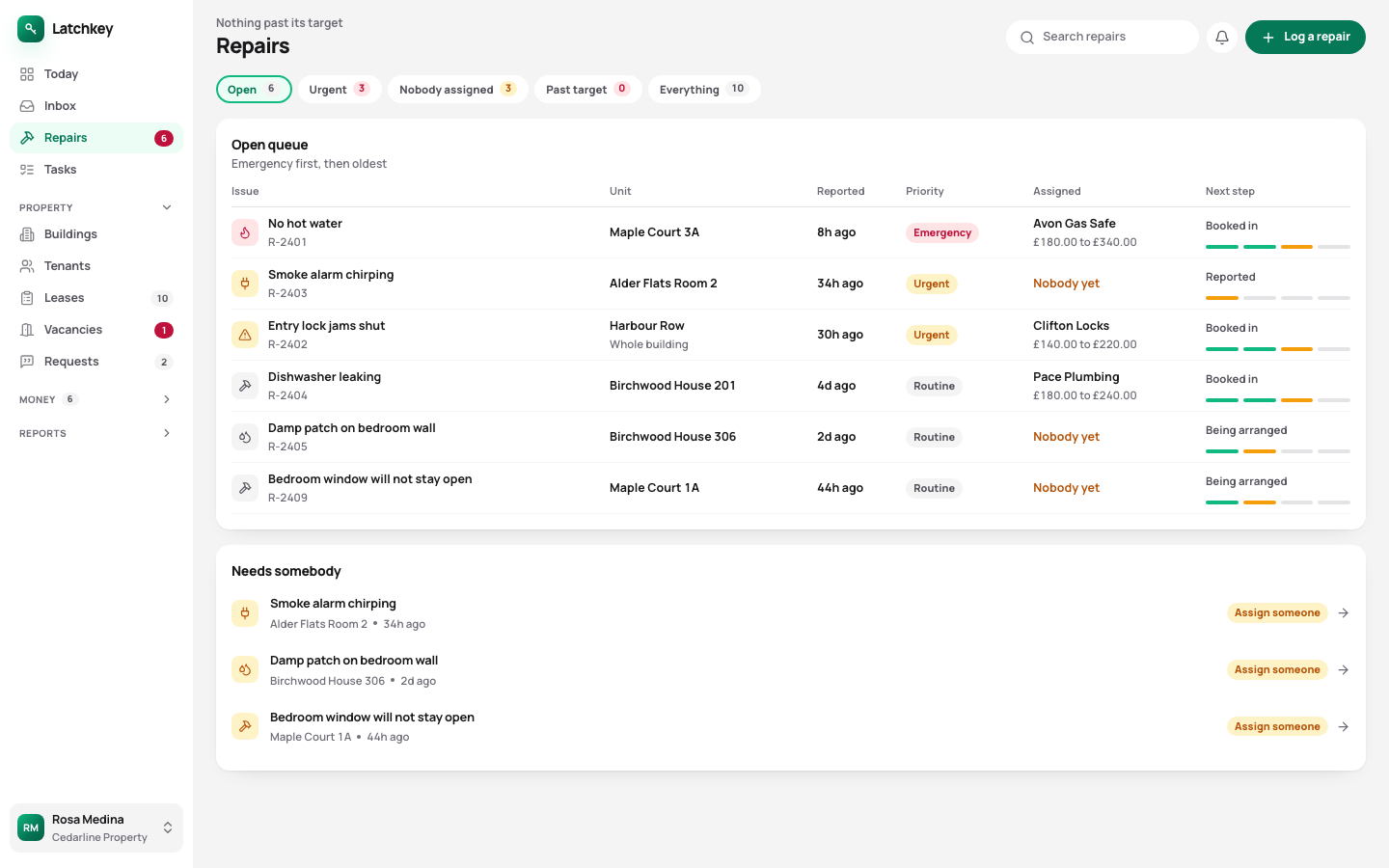 Open the whole screen
What happens, step by step.
- Step 1
The tenant reports it
In their app, with photos, which arrive on the job you open.
- Step 2
The clock starts from the report
Urgent problems are marked urgent however they were worded, and the target is set from the moment it came in.
- Step 3
You assign it and propose a visit
The tenant agrees or asks for another time in their app, and the notice you gave is recorded.
- Step 4
Certificates renew on time
A renewal task opens before each one runs out.
Every repair has a deadline from the day it was reported.
- Damp, mould and heating are urgent
- They go above routine on their own, whoever reported them and however politely it was put.
- Deadlines counted from the report
- The target runs from when the tenant told you, not from when somebody opened the job. Anything past its target is flagged on Today.
- Visits agreed, not announced
- You can enter for repairs with 24 hours’ written notice. You propose a time, the tenant agrees or declines in their app, and the notice given is recorded for both of you.
- Certificates with their renewal dates
- Gas safety, electrical, EPC, fire risk and legionella. A renewal task opens before each one expires, and a unit missing one the law requires is flagged as not ready to let.
- Regular jobs on a schedule
- Keep the boiler service and other planned work on a schedule, and turn each one into a repair job with a contractor when it’s due.
- Reminders that come back
- Repeating tasks reopen on their own. Dismissing one is kept apart from doing it, so your list of done jobs only holds things that were done.
Photos from the person who can see it
The tenant’s photos attach to the job you open. You can judge how urgent it is and brief a contractor before anyone goes round.
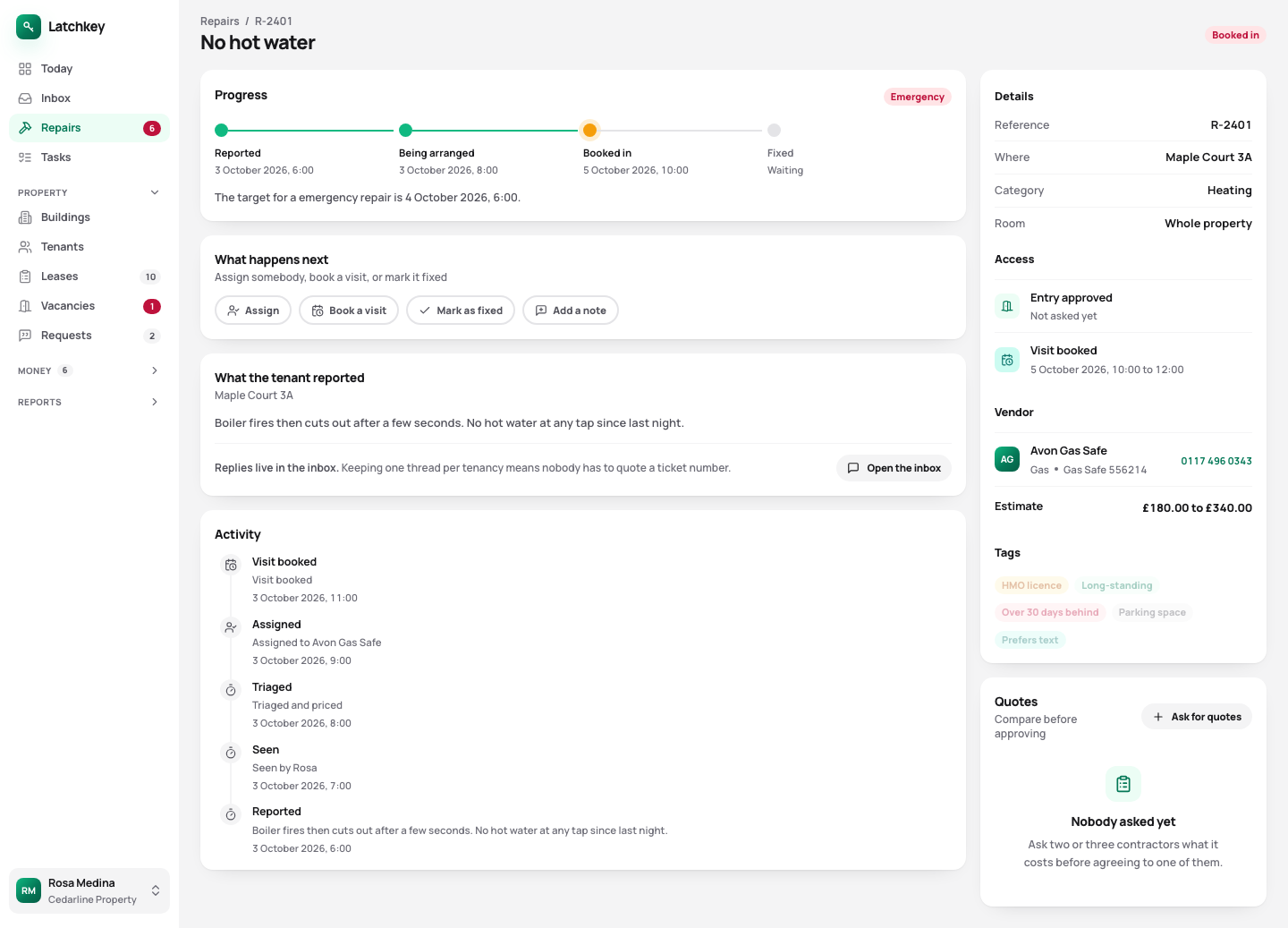 Open the whole screen
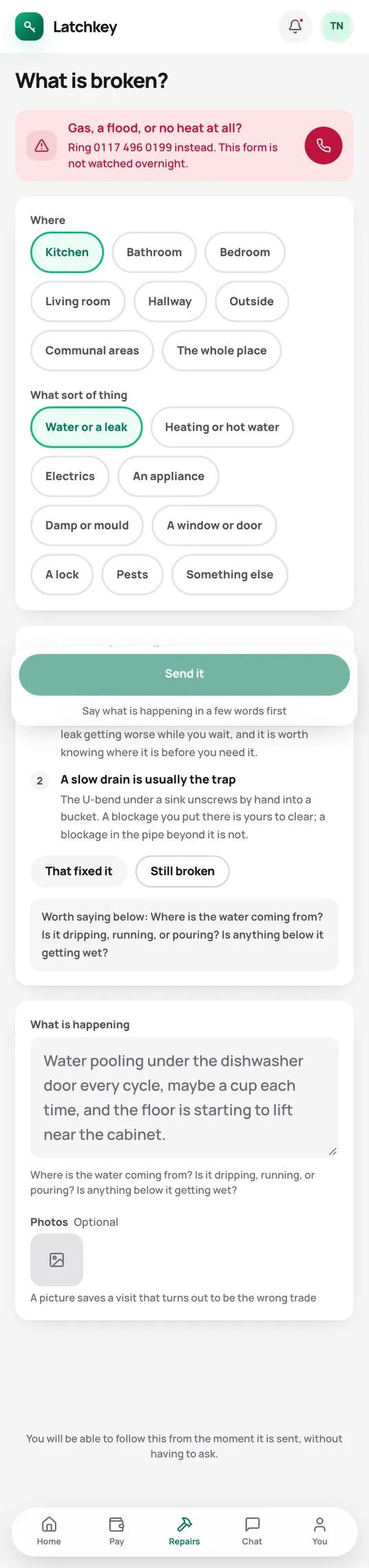
Fewer calls from your tenants.
Tenants report repairs with photos, so the details arrive on the job rather than in a text.
What the tenant app does for youThe rest of the job.
- Rent and arrears Rent charged when it’s due, arrears grouped by age, and reminders with the figures already in them.
- Lettings and notices Viewings, Right to Rent, deposit deadlines, inventories, rent reviews on Form 4A and Section 8 on Form 3A.
- Tax and Making Tax Digital SA105 figures kept all year, quarterly figures for Making Tax Digital, and VAT and capital gains when you need them.
- Books and accounts Profit and loss, balance sheet and trial balance from one set of records, with view-only access for your accountant.
- Banking and bills Bank statements imported without duplicates, rules that suggest rather than post, and bills approved before they’re paid.
- Portfolio and budgets Valuations and equity, mortgage payments after the fixed rate ends, budgets and service charges.
- Documents and the team Templates with a preview, signing in the app, six team roles, a record of every change, and spreadsheet import.
Try it on your own portfolio.
The guided setup takes you through your first building, tenancy and tenant. Every feature is in every plan.
No card needed. Cancel from Settings.