Your Self Assessment figures kept all year, not found in January.
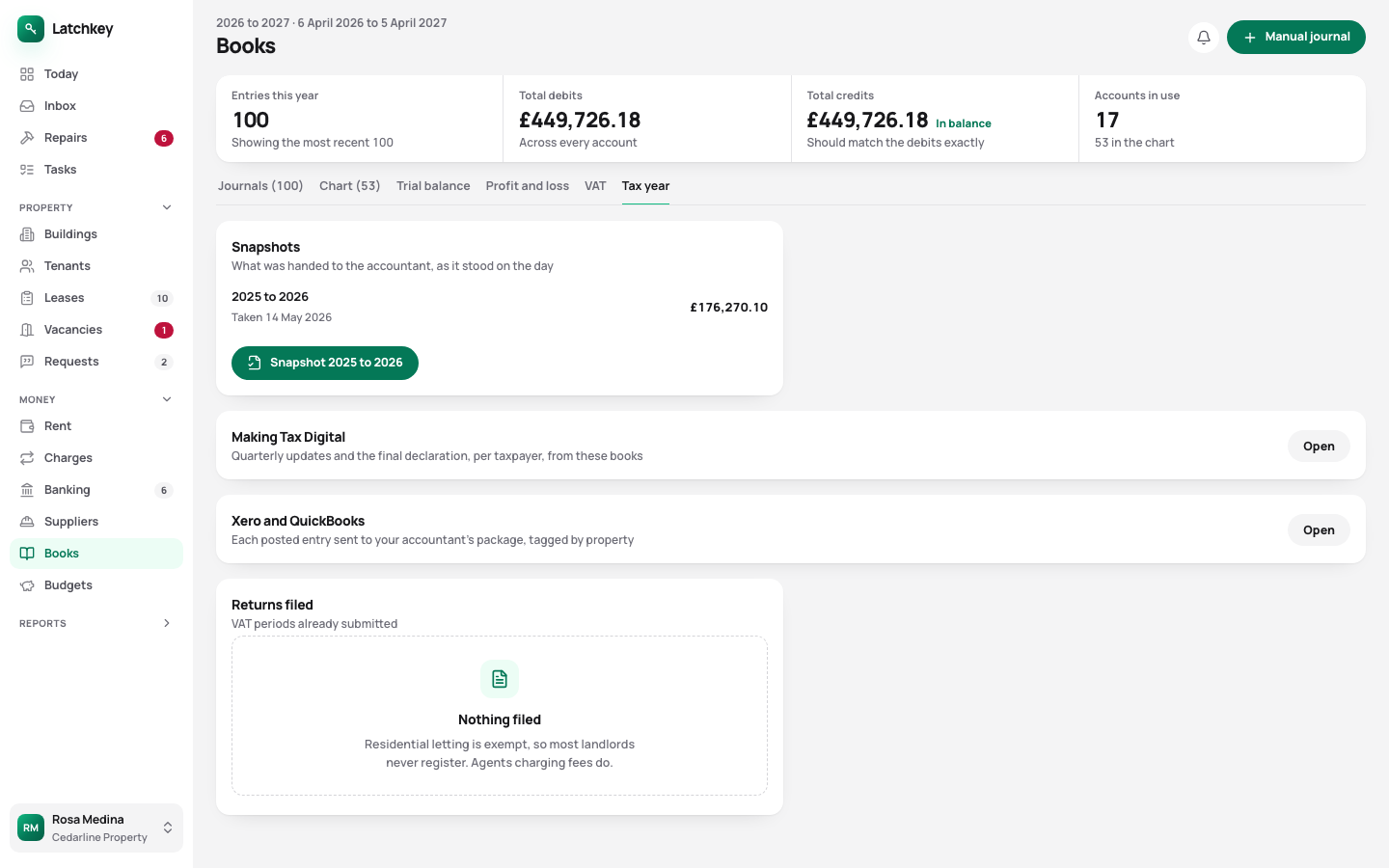
The property pages of your Self Assessment fill from the year’s records, with mortgage interest on its own line for the Section 24 tax credit. From 6 April 2026, Making Tax Digital applies to landlords with income over £50,000. Latchkey keeps the records and works out the quarterly figures. Sending them to HMRC from Latchkey is coming soon.
14 days free. No card needed. In every plan.
 Open the whole screen
What happens, step by step.
- Step 1
Record costs as they happen
The form tells you whether a cost is a repair you can claim now or an improvement that counts when you sell.
- Step 2
Check each quarter
The figures for your Making Tax Digital update are worked out from the same records.
- Step 3
Close the year
The final declaration locks the year, so the figures don’t move after you’ve filed.
- Step 4
Hand over the figures
Download the SA105 figures and a trial balance for your accountant.
Tax worked out from the rent and costs you’ve already recorded.
- The SA105, with mortgage interest separate
- Mortgage interest is kept out of your expenses and shown on its own, because Section 24 turns it into a tax credit rather than a deduction.
- Making Tax Digital figures
- The quarterly figures and the year end come from the records you already keep, with nothing typed in twice. Soon: sending them to HMRC straight from Latchkey.
- Repair or improvement, decided as you type
- Replacing a worn-out boiler is a cost you claim now. An extension counts when you sell. The form says which before you save, so the mistake doesn’t reach your return.
- A filed year stays filed
- Once the year is closed, the figures your accountant had in July are the same figures in January.
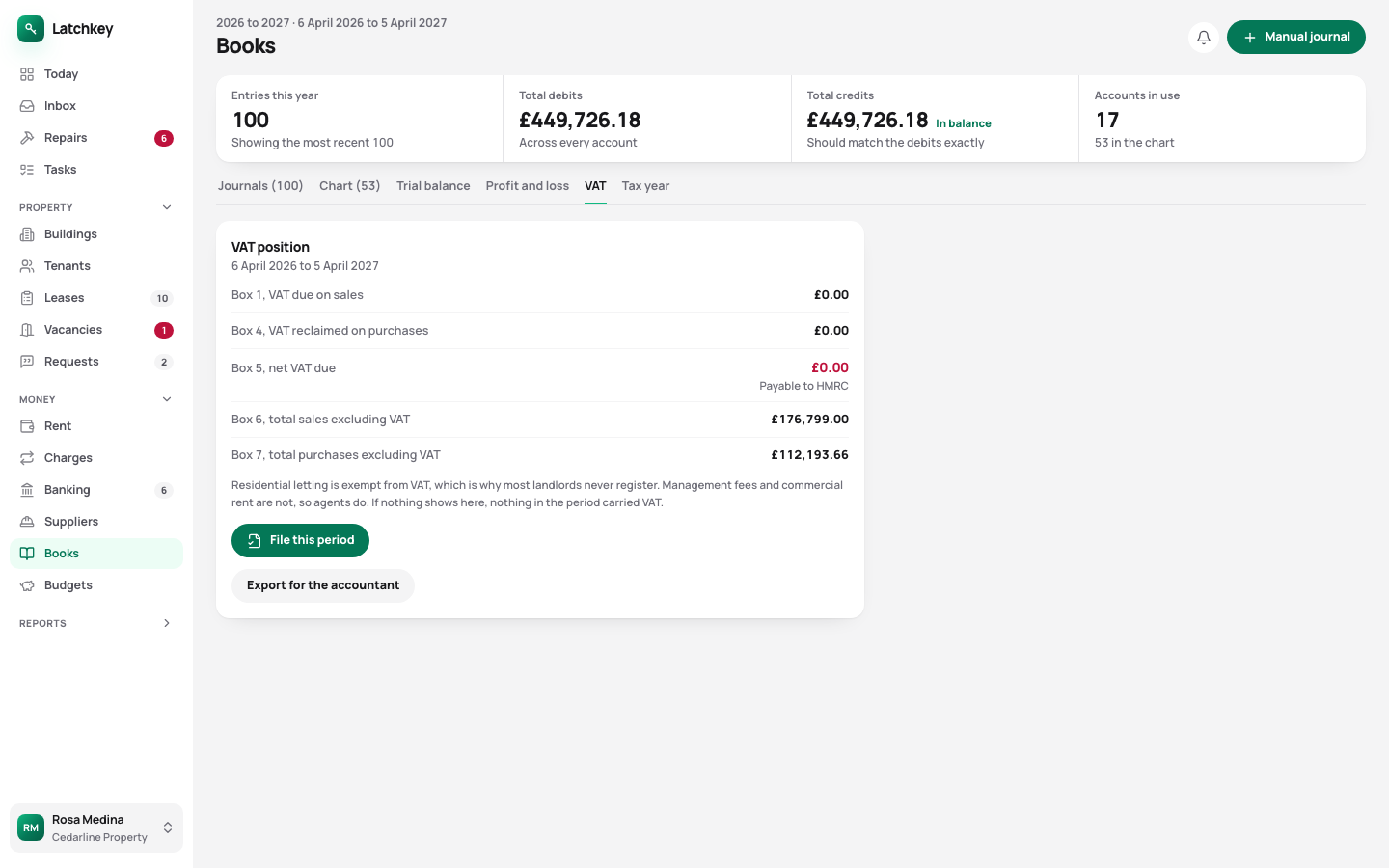
- VAT, if you’re registered
- Returns are worked out from your records and kept exactly as filed. A correction goes in a later period.
- Selling a property
- The gain is worked out with the sale costs and the improvements you recorded, private residence relief, losses and the annual exemption, and the 60 day deadline to report it is counted from completion.
- CIS on builders’ invoices
- If you pay a builder under the Construction Industry Scheme, the deduction comes off the labour only, as the rules require.
VAT returns, kept exactly as they were filed
 Open the whole screen
The rest of the job.
- Rent and arrears Rent charged when it’s due, arrears grouped by age, and reminders with the figures already in them.
- Repairs and compliance Repair deadlines counted from the report, urgent jobs raised on their own, and certificates renewed before they lapse.
- Lettings and notices Viewings, Right to Rent, deposit deadlines, inventories, rent reviews on Form 4A and Section 8 on Form 3A.
- Books and accounts Profit and loss, balance sheet and trial balance from one set of records, with view-only access for your accountant.
- Banking and bills Bank statements imported without duplicates, rules that suggest rather than post, and bills approved before they’re paid.
- Portfolio and budgets Valuations and equity, mortgage payments after the fixed rate ends, budgets and service charges.
- Documents and the team Templates with a preview, signing in the app, six team roles, a record of every change, and spreadsheet import.
Try it on your own portfolio.
The guided setup takes you through your first building, tenancy and tenant. Every feature is in every plan.
No card needed. Cancel from Settings.