Tenancies, deposits and notices done right the first time.
Under the Renters’ Rights Act, from 1 May 2026 every tenancy is periodic and possession runs through Section 8. Latchkey checks a Section 8 notice against what’s on file and lists every problem at once. It also tracks the dates around the let: the 30 days to protect a deposit, Right to Rent and the yearly rent review.
14 days free. No card needed. In every plan.
 Open the whole screen
What happens, step by step.
- Step 1
Let it
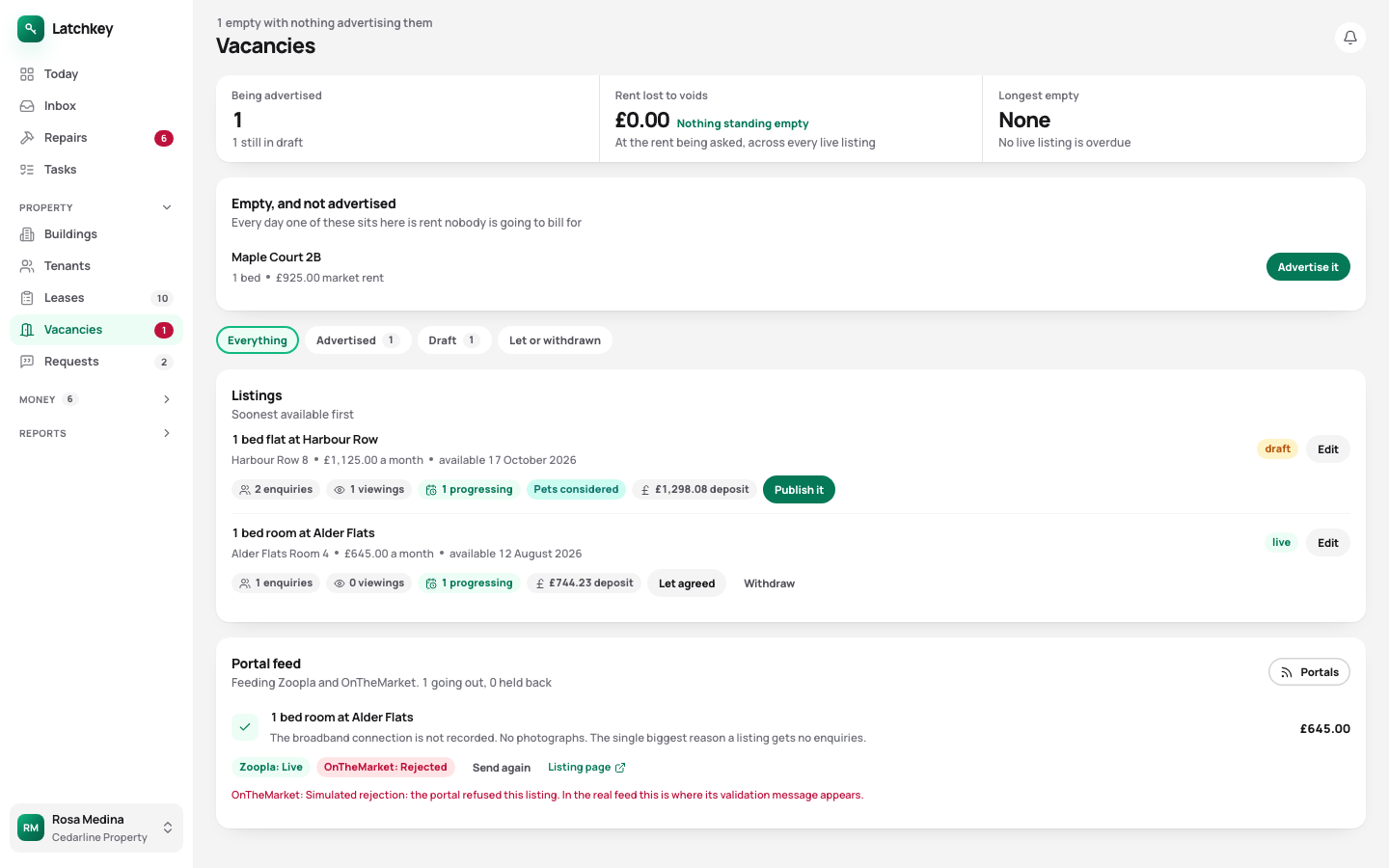
Applicants and viewings, with what each viewer said, and what an empty unit is costing you.
- Step 2
Move them in
Right to Rent for every adult, the deposit protected within 30 days, the inventory agreed and the meters read.
- Step 3
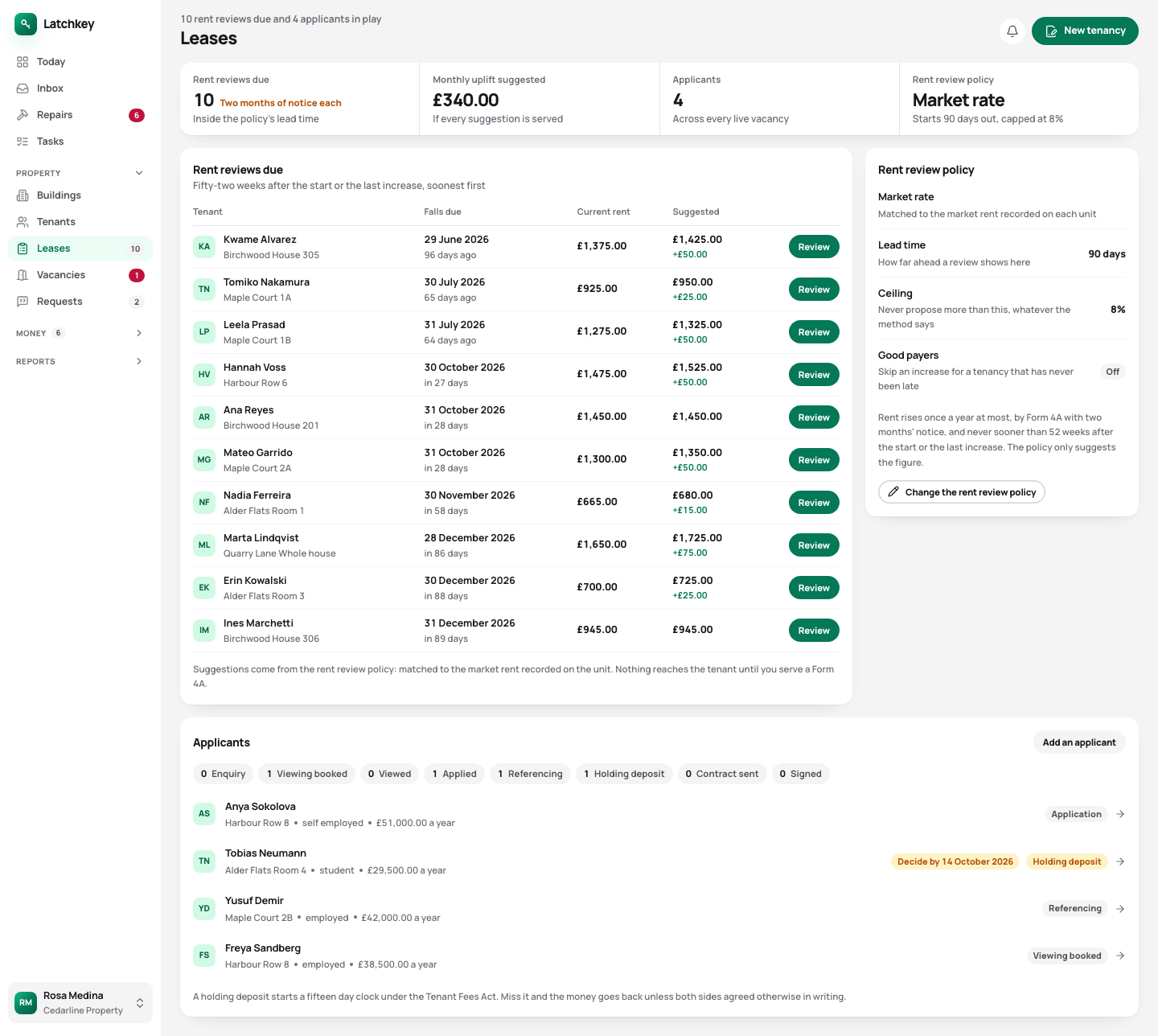
Review the rent
Once a year at most, on Form 4A with two months’ notice. The tenant sees their deadline to challenge it.
- Step 4
Serve notice, if you have to
Section 8 on Form 3A, with the ground, the notice period, the arrears, the deposit and the licence checked together.
- Step 5
Move them out
Charges after the last day are cancelled, the unit is freed, and the deposit deductions always add up to the deposit.
From the first viewing to the deposit going back.
- Viewings that record what people said
- Six viewings and no offers is usually a price problem, and you can only see that if somebody wrote down why. Soon: ordering references from the applicant’s page.
- Empty units costed
- Days empty, and what those days have cost at the asking rent.
- A listing page to share
- Each listing can have its own page with photos, the details a tenant needs and an enquiry form. Share it anywhere, and enquiries arrive as applicants.
- Periodic tenancies, as the law now says
- A written statement of terms before signing, and no more than a month’s rent in advance. A tenancy the Act converted on 1 May 2026 is marked as converted, which decides which grounds are open to you.
- Deposit deadlines tracked
- The 30 days to protect it and serve the prescribed information run from the day the money arrives. Latchkey tracks both and records who was sent the certificate, guarantors included. You still protect the deposit with TDS, the DPS or mydeposits.
- Right to Rent for every adult
- Record each adult’s check, by share code or documents seen in person, with the evidence kept and a follow-up opened before time-limited permission runs out.
- Inventories that hold up
- Check in, check out, and a comparison that flags anything past fair wear and tear. The tenant agrees the record line by line in their app.
- Every Section 8 problem at once
- The ground, the twelve month bar on grounds 1 and 1A, the arrears, deposit protection and the licence. Fixing problems one at a time costs a notice period each round.
- Rent reviews on the anniversary
- Each tenancy comes up 52 weeks after it began or the rent last rose, with a suggested figure, and goes out on Form 4A with the tenant’s tribunal deadline worked out.
- Deposit returns that add up
- Each deduction needs a reason, anything not new is adjusted for wear, and a claim can’t be more than the deposit.
Empty units, with what the empty days have cost at the asking rent
 Open the whole screen
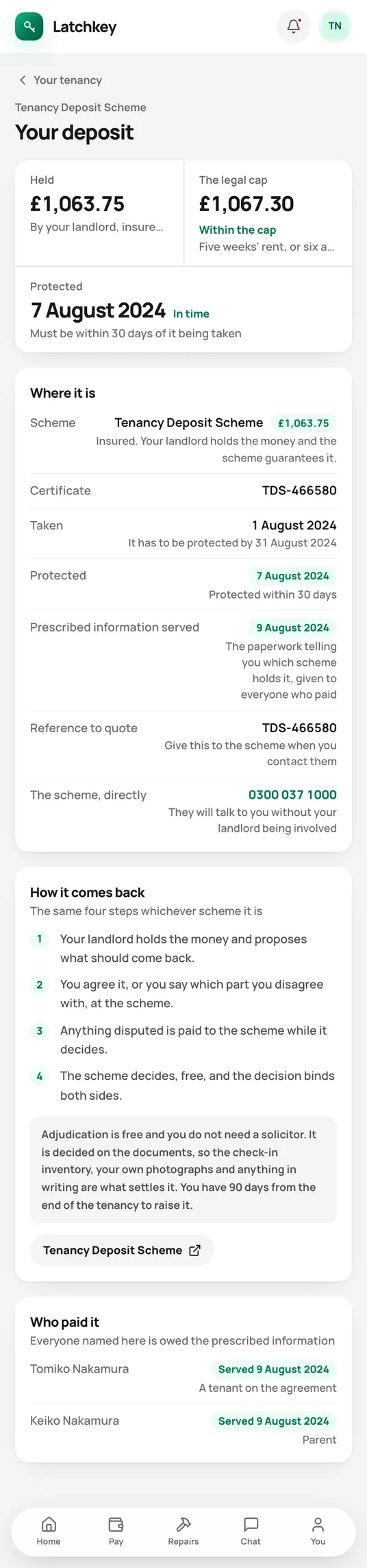
Fewer calls from your tenants.
Tenants can see their deposit is protected, and when, without asking you.
What the tenant app does for youThe rest of the job.
- Rent and arrears Rent charged when it’s due, arrears grouped by age, and reminders with the figures already in them.
- Repairs and compliance Repair deadlines counted from the report, urgent jobs raised on their own, and certificates renewed before they lapse.
- Tax and Making Tax Digital SA105 figures kept all year, quarterly figures for Making Tax Digital, and VAT and capital gains when you need them.
- Books and accounts Profit and loss, balance sheet and trial balance from one set of records, with view-only access for your accountant.
- Banking and bills Bank statements imported without duplicates, rules that suggest rather than post, and bills approved before they’re paid.
- Portfolio and budgets Valuations and equity, mortgage payments after the fixed rate ends, budgets and service charges.
- Documents and the team Templates with a preview, signing in the app, six team roles, a record of every change, and spreadsheet import.
Try it on your own portfolio.
The guided setup takes you through your first building, tenancy and tenant. Every feature is in every plan.
No card needed. Cancel from Settings.