Self-managing, with the admin done for you.
Open it and Today shows what needs you: who’s behind with the rent, which repairs are waiting and which certificates are due. Behind it are the four jobs every self-managing landlord does, each one set out below.
14 days free. No card needed.
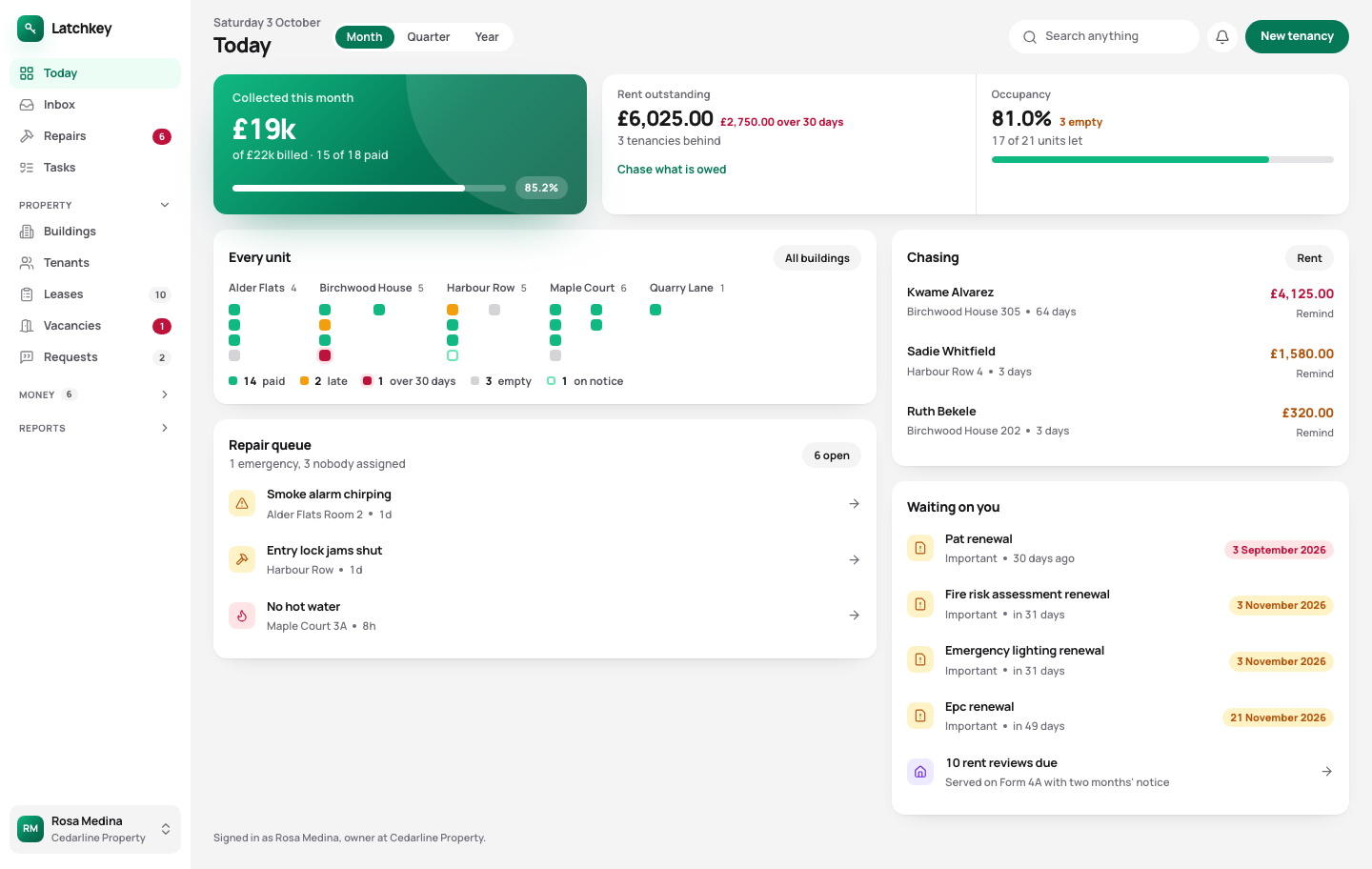 Open the whole screen
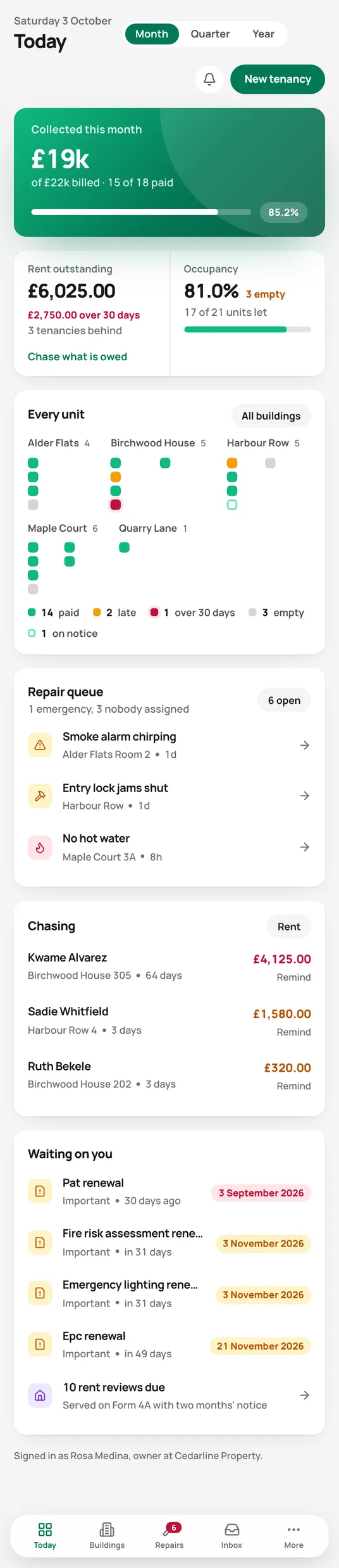
What it does for you every week.
See who’s behind and chase them in a click
Rent goes on each tenancy on the day it’s due. The rent screen puts the biggest balance at the top, sorted by how long it’s been owed, and a reminder goes out with the real figures already in it. You stop working it out from bank statements.
Rent and arrears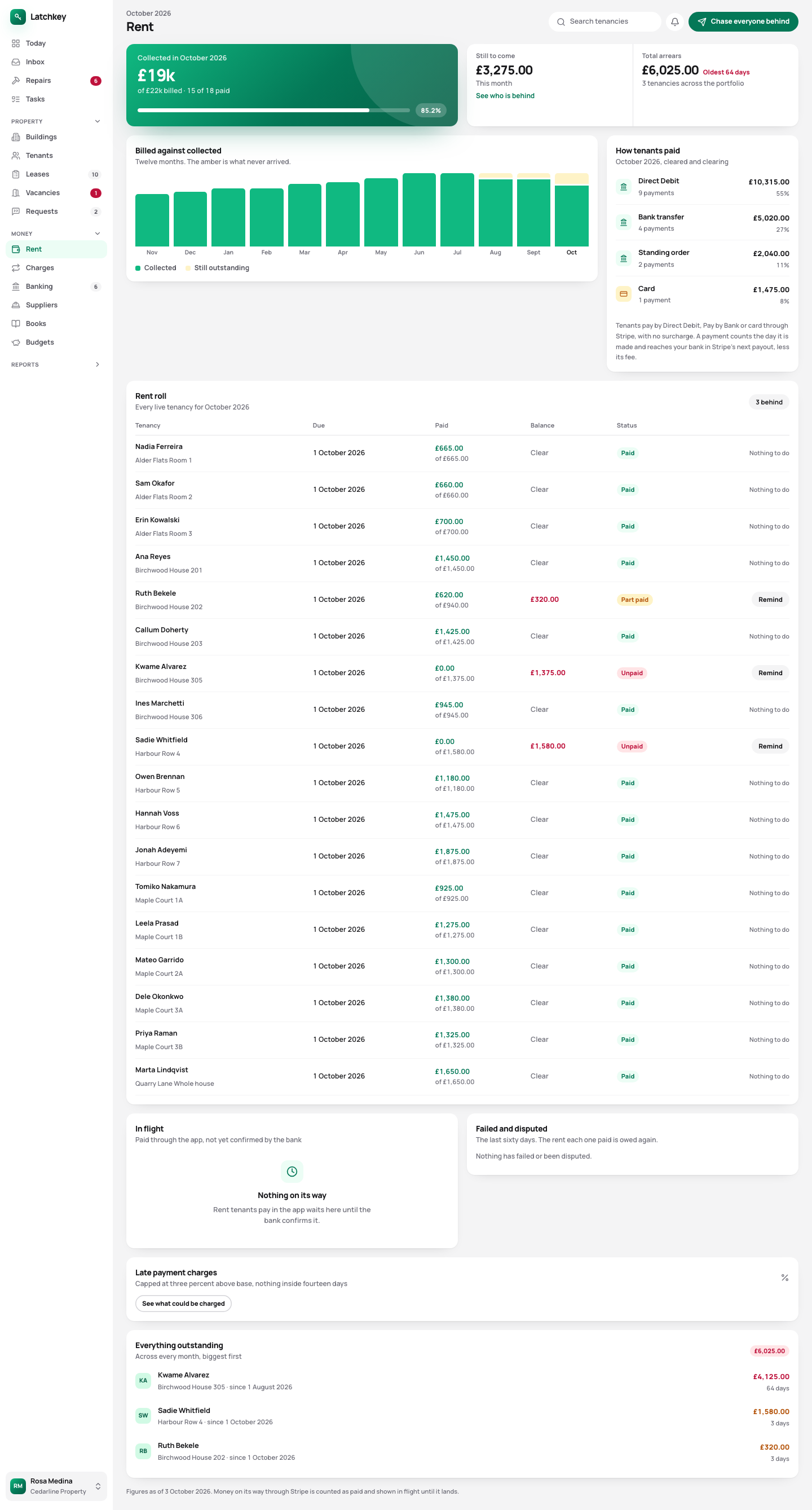 Open the whole screen

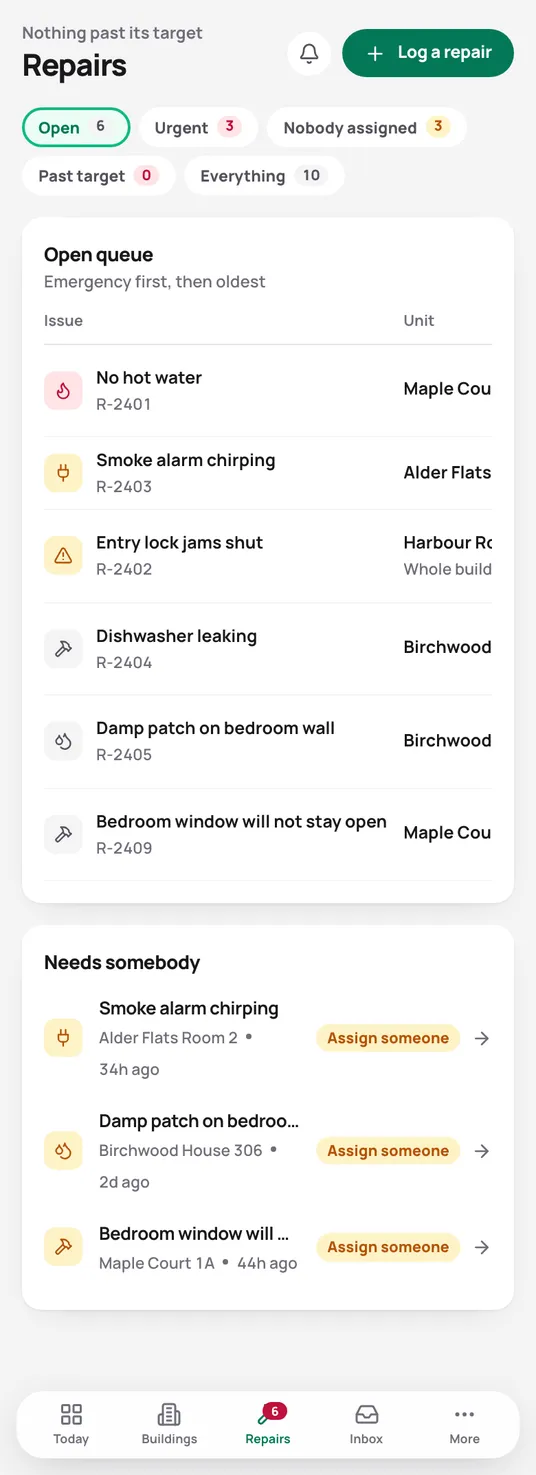
Every repair has a deadline, counted for you
Tenants report repairs in their app, with photos. The deadline runs from the day they told you, damp, mould and heating jump the queue on their own, and anything past its deadline is flagged rather than left to age in a list.
Repairs and compliance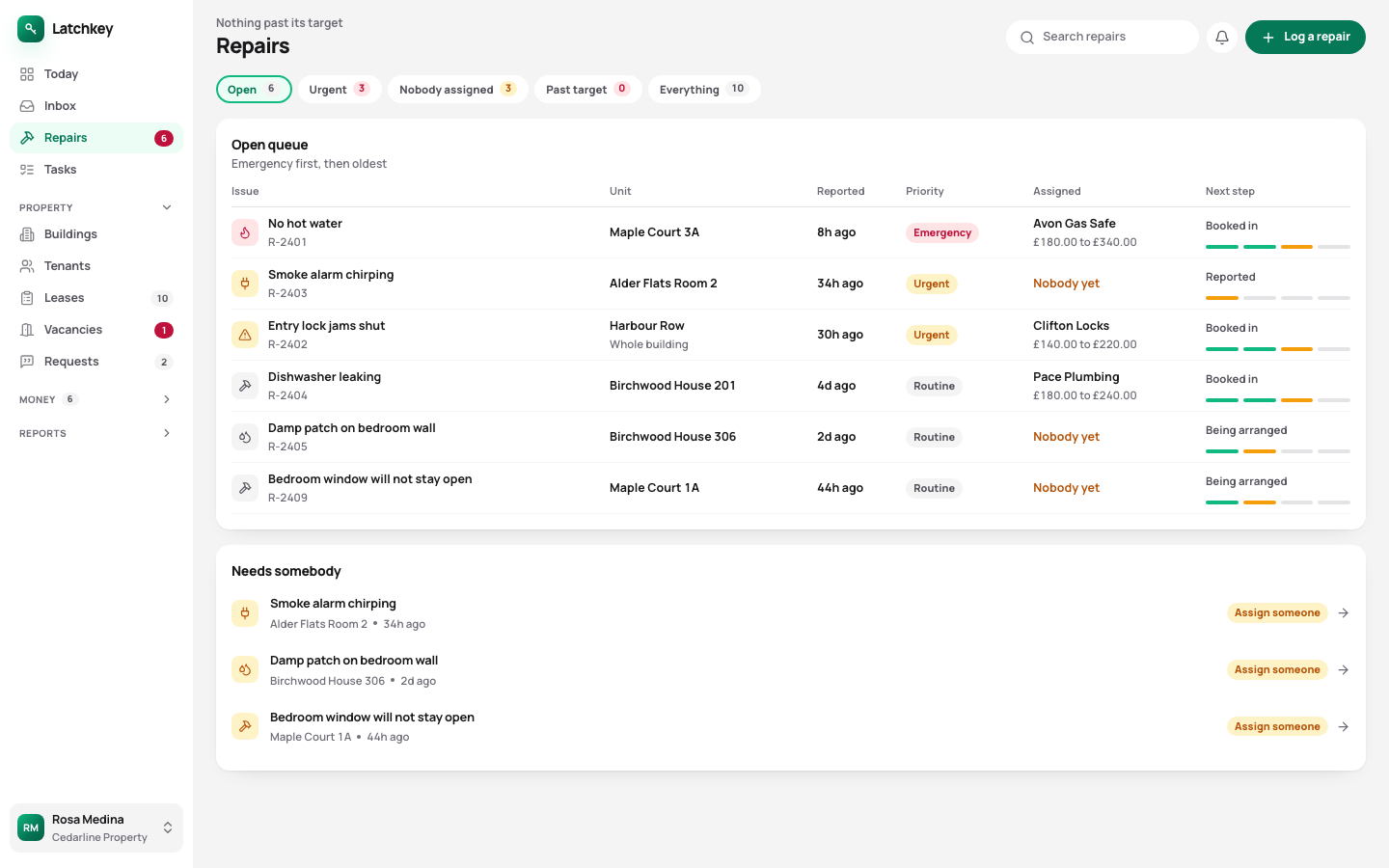 Open the whole screen
Tenancies, deposits and notices done right first time
Tenancy agreements filled in from what you’ve already entered. The 30 days to protect a deposit counted from the day it arrives. Right to Rent for every adult, certificates with their renewal dates, and rent increases on Form 4A with the notice period checked.
Lettings and notices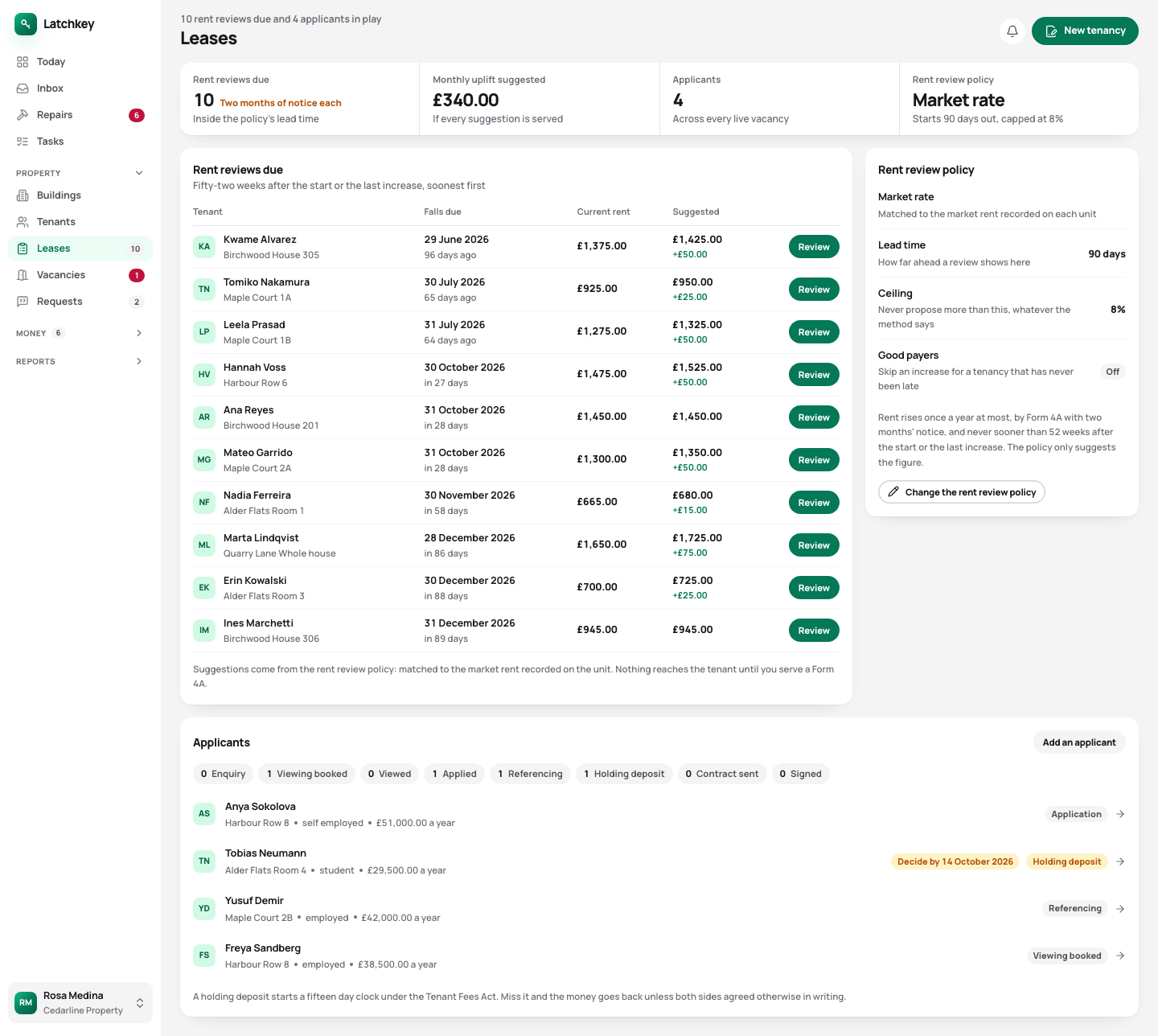 Open the whole screen

Your Self Assessment figures, ready when you need them
Rent and costs are recorded as they happen, to the penny. The property boxes of your tax return fill from them, mortgage interest kept on its own line, and the quarterly figures for Making Tax Digital are worked out from the same records.
Tax and Making Tax Digital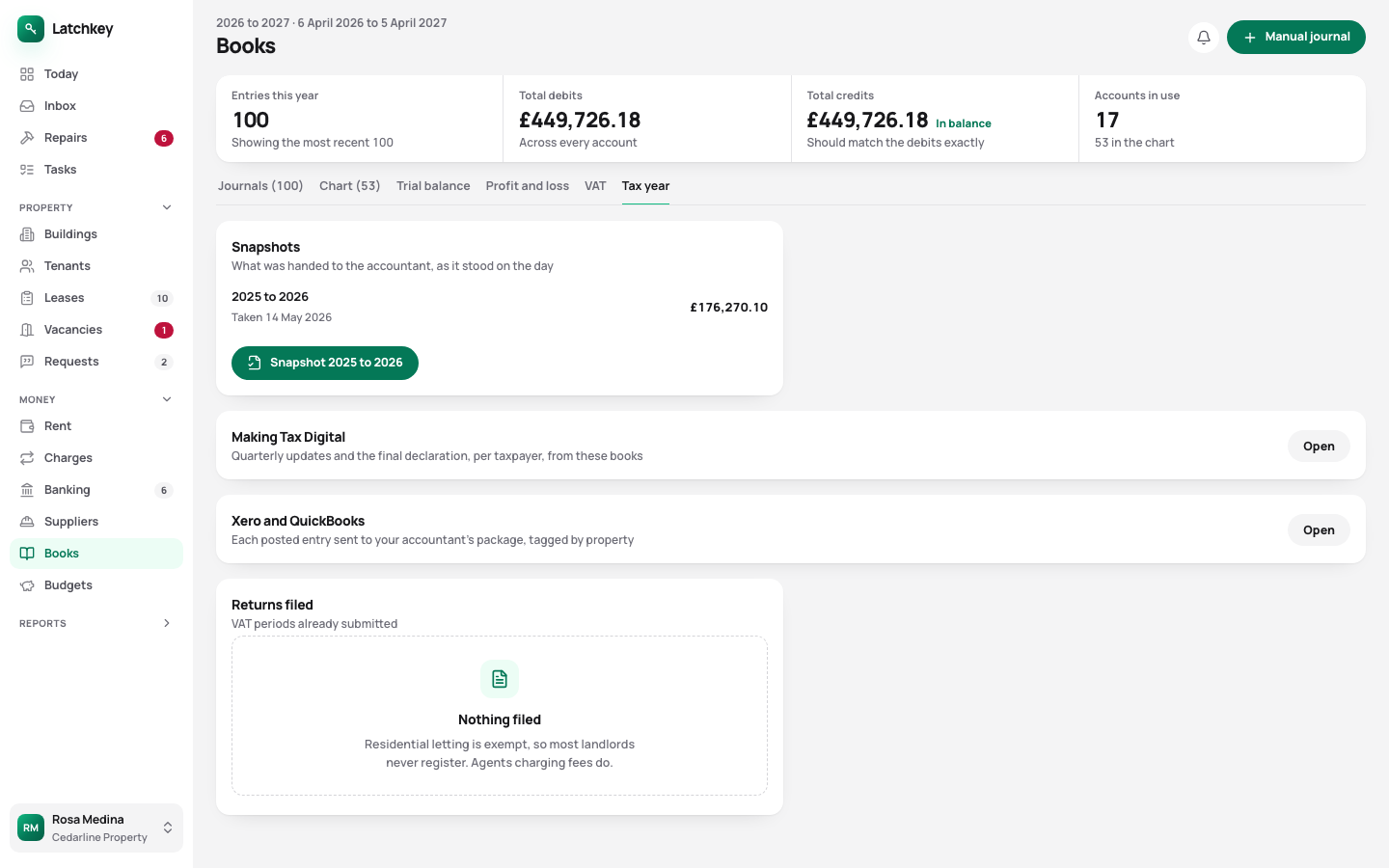 Open the whole screen
A guided setup gets your first tenancy in.
A new account opens on six short steps. Skip any of them and come back later. If you keep your portfolio in a spreadsheet, you can import it as well.
- Step 1
Your details
Your name or your company’s, as it goes on letters and statements.
- Step 2
Your first building
Its name and address.
- Step 3
Its units
Each flat, house or room you let in it.
- Step 4
A tenancy
Who lives there, the rent and the deposit.
- Step 5
Rent collection
Soon: connect your own Stripe account, so rent is paid straight to you. Skip it for now.
- Step 6
Your tenant
Copy the link to their app, or email it to them.
Eight areas, every one in every plan.
- Rent and arrears Rent charged when it’s due, arrears grouped by age, and reminders with the figures already in them.
- Repairs and compliance Repair deadlines counted from the report, urgent jobs raised on their own, and certificates renewed before they lapse.
- Lettings and notices Viewings, Right to Rent, deposit deadlines, inventories, rent reviews on Form 4A and Section 8 on Form 3A.
- Tax and Making Tax Digital SA105 figures kept all year, quarterly figures for Making Tax Digital, and VAT and capital gains when you need them.
- Books and accounts Profit and loss, balance sheet and trial balance from one set of records, with view-only access for your accountant.
- Banking and bills Bank statements imported without duplicates, rules that suggest rather than post, and bills approved before they’re paid.
- Portfolio and budgets Valuations and equity, mortgage payments after the fixed rate ends, budgets and service charges.
- Documents and the team Templates with a preview, signing in the app, six team roles, a record of every change, and spreadsheet import.
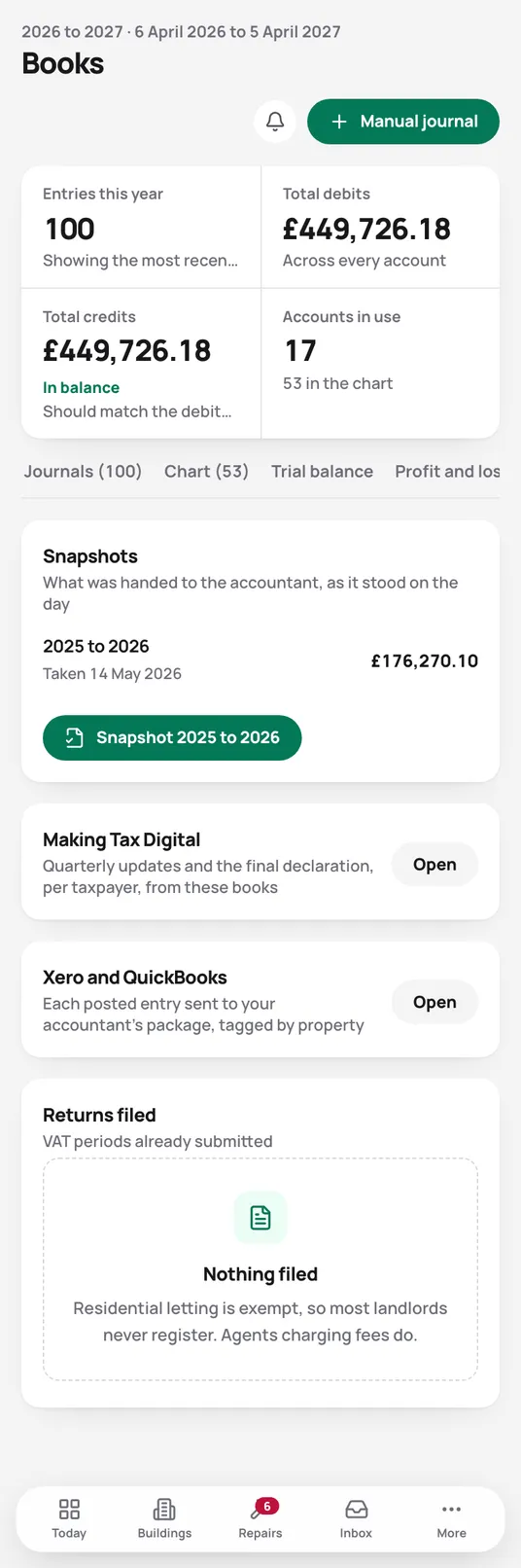
The whole app in your pocket.
Every screen works on a phone, in the browser, so you can check the rent or assign a repair from wherever you are.



Fewer calls and textsfrom your tenants.
Each tenancy comes with a tenant app. Tenants check what they owe, report repairs with photos and find their own documents, so those questions stop reaching your phone.
What the tenant app does for youTry it on your own portfolio.
Set up your first building and tenancy in the guided setup, and see where the rent stands by the end of the afternoon.
No card needed. Cancel from Settings.