Banking and bills
Your books agree with your bank.
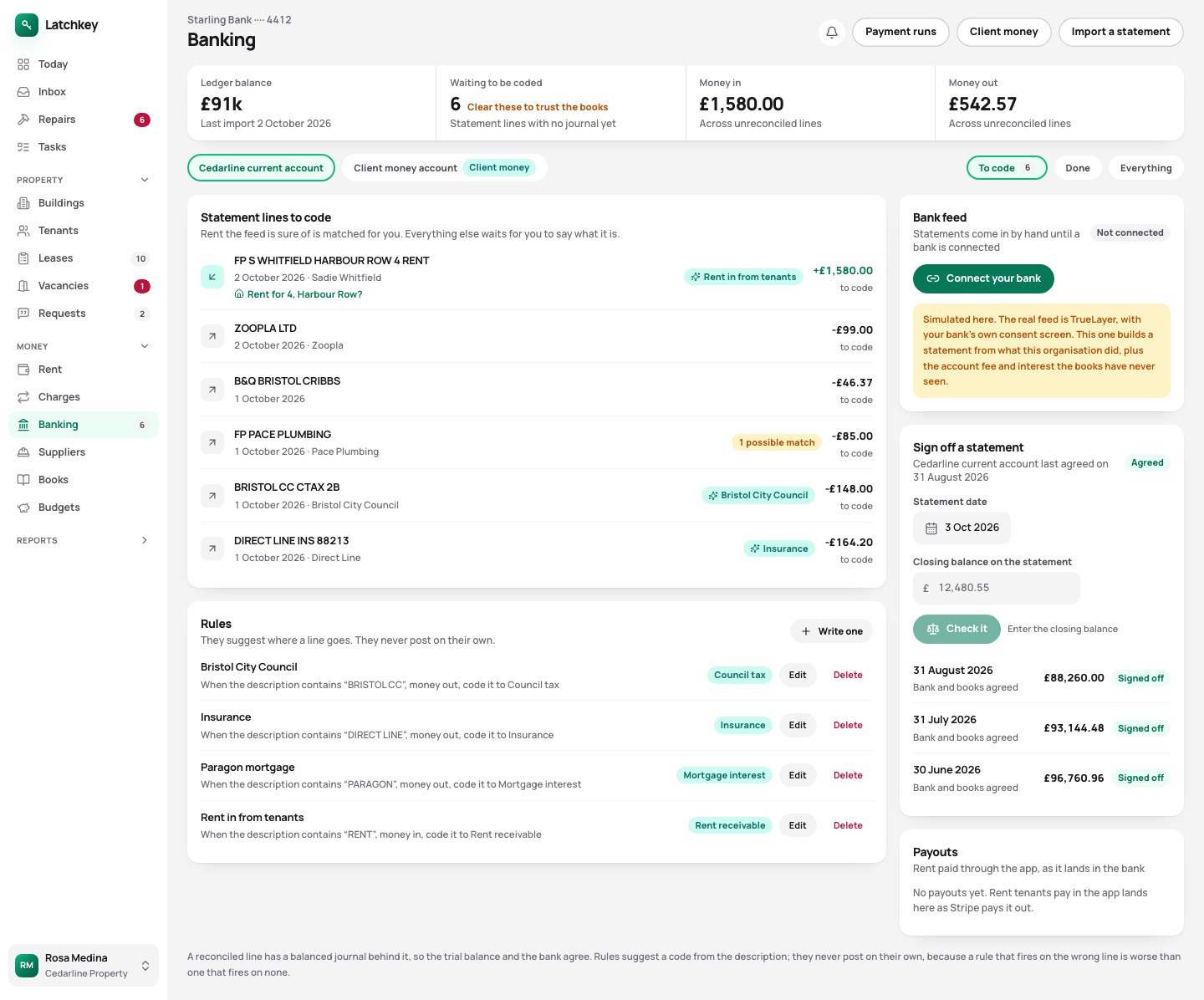
Import your bank statement and each line is matched to rent, a bill or a cost. Your rules suggest where each line goes and wait for you to agree. An overlapping statement can’t count a payment twice, and a month is signed off only when the statement balance equals your books.
14 days free. No card needed. In every plan.
app.landlord-app.uk
 Open the whole screen
How it works
What happens, step by step.
- Step 1
Import the statement
The CSV file from your bank. Lines you’ve already imported are skipped.
- Step 2
Agree the suggestions
Rules suggest where each line goes, and you approve. Nothing is coded behind your back.
- Step 3
Approve bills before they’re paid
Who approved each one, and when, is recorded.
- Step 4
Sign off the month
When the statement’s closing balance equals your books.
The detail
Bank statements in, each line coded, nothing posted without you.
- Import a statement twice and nothing doubles
- Lines already in your books are recognised and skipped, so an overlapping file adds only what’s new.
- Rules suggest, you decide
- A rule that codes lines on its own can get forty of them wrong before anybody looks. Here a suggestion waits for you.
- Signed off on the balance
- Not on how many lines matched. The statement’s closing balance has to equal your books, or the month stays open.
- Bills approved before they’re paid
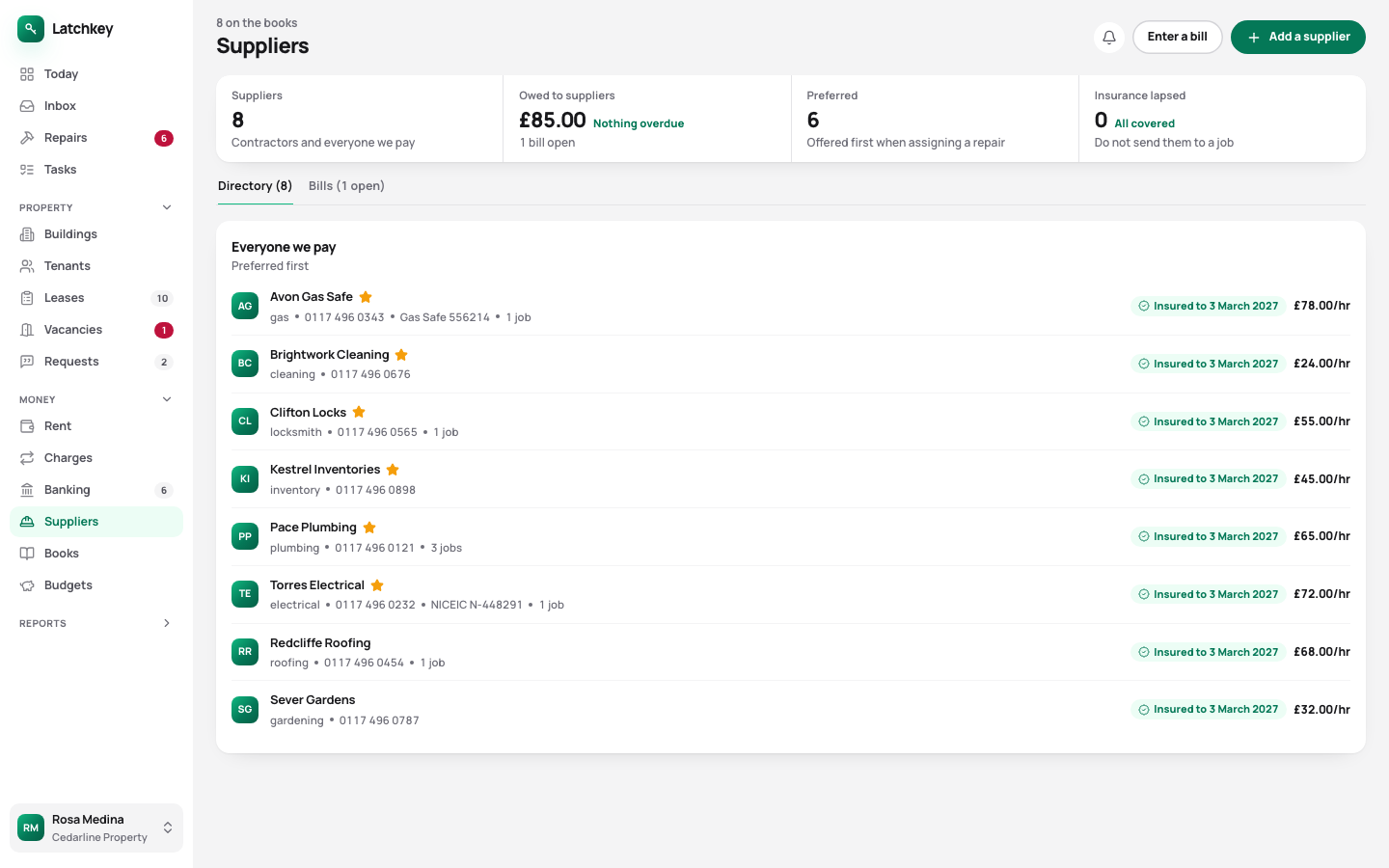
- A supplier bill needs approving before money can go out against it, with who approved it and when on record.
Also on screen
Supplier bills waiting for approval, and what’s been paid
app.landlord-app.uk
 Open the whole screen
The other seven areas
The rest of the job.
- Rent and arrears Rent charged when it’s due, arrears grouped by age, and reminders with the figures already in them.
- Repairs and compliance Repair deadlines counted from the report, urgent jobs raised on their own, and certificates renewed before they lapse.
- Lettings and notices Viewings, Right to Rent, deposit deadlines, inventories, rent reviews on Form 4A and Section 8 on Form 3A.
- Tax and Making Tax Digital SA105 figures kept all year, quarterly figures for Making Tax Digital, and VAT and capital gains when you need them.
- Books and accounts Profit and loss, balance sheet and trial balance from one set of records, with view-only access for your accountant.
- Portfolio and budgets Valuations and equity, mortgage payments after the fixed rate ends, budgets and service charges.
- Documents and the team Templates with a preview, signing in the app, six team roles, a record of every change, and spreadsheet import.
14 days free
Try it on your own portfolio.
The guided setup takes you through your first building, tenancy and tenant. Every feature is in every plan.
No card needed. Cancel from Settings.