Know who owes what before it’s three months.
Rent goes on each tenancy on the day it’s due. A part payment clears the oldest month first, and the chase list puts the biggest balance at the top, so the tenant who owes most is the first one you see.
14 days free. No card needed. In every plan.
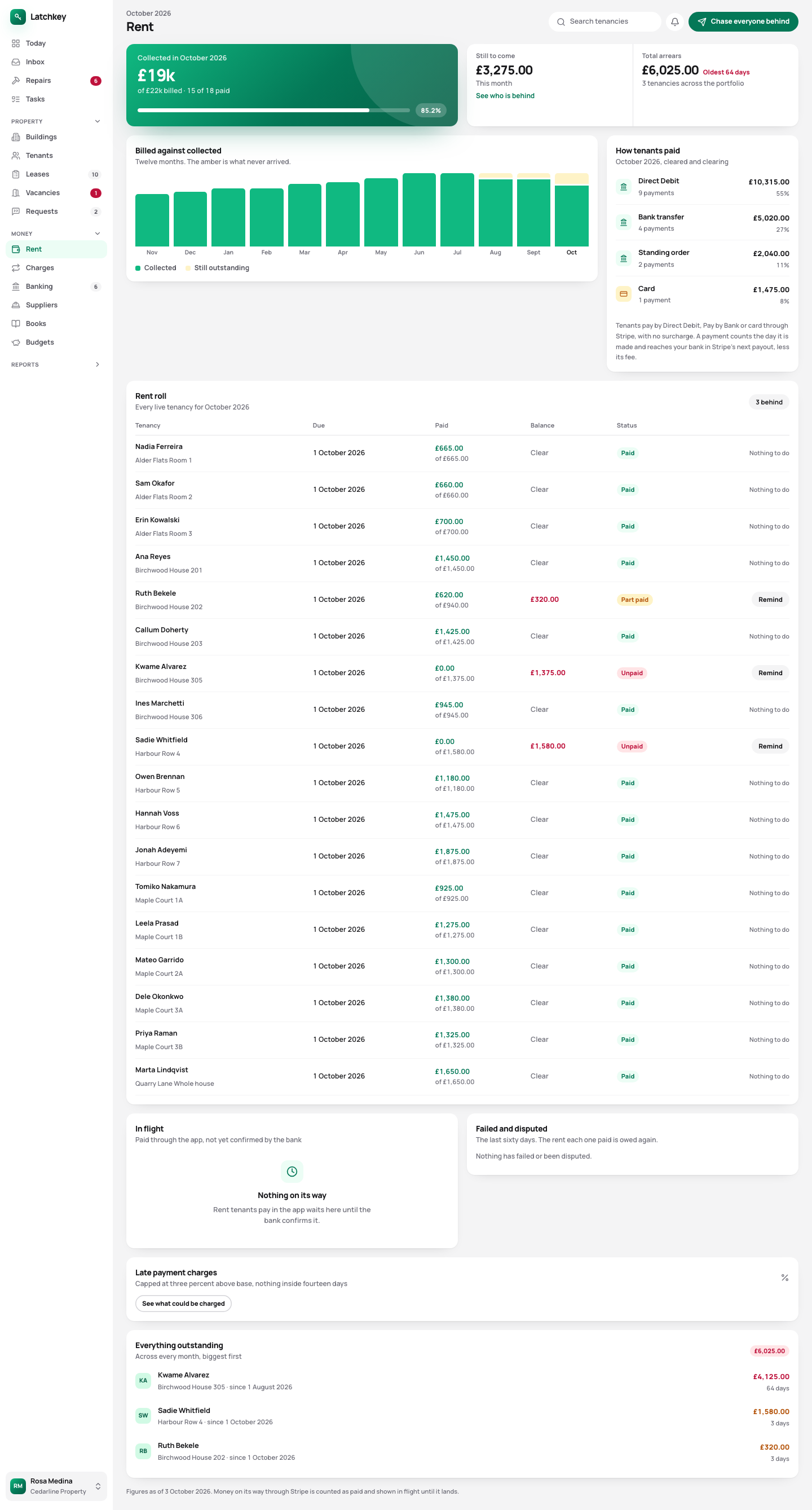 Open the whole screen
What happens, step by step.
- Step 1
Set the rent once
Weekly, monthly, quarterly or yearly. A tenancy that starts mid-month is charged for the days it covers.
- Step 2
It’s charged every period
Each night Latchkey adds the rent and any repeating charges that have fallen due. You don’t raise anything by hand.
- Step 3
Payments clear the oldest debt
So a part payment can’t leave an old month unpaid behind a new one.
- Step 4
Chase the biggest balance first
Arrears are grouped by how long they’ve been owed, and a reminder goes out in your own wording with the figures filled in.
Rent charged on time, and arrears sorted by what’s owed.
- Payments matched from your statement
- Each tenant has their own payment reference. Upload your bank statement and their payments are matched to their rent. Soon: collecting rent by Direct Debit, Pay by Bank or card through your own Stripe account, paid straight to your bank.
- Any schedule, charged by the day
- Weekly to yearly. A part period is worked out by the day from the yearly rent, so a tenancy that starts on the 12th pays for the days it covers.
- Payments go against the oldest month
- A part payment can’t leave an old balance hiding behind a new one, which is how one month behind quietly becomes three.
- Arrears grouped by age
- Up to 30 days, 31 to 60, 61 to 90 and over 90. Pick a tenant and a reminder fills from your saved wording with the real figures in it.
- Late fees kept within the law
- Under the Tenant Fees Act nothing can be charged until rent is 14 days late, and interest is capped at 3% above the Bank of England base rate. If your late fee setting would go over that, Latchkey charges the legal maximum instead.
- Payment plans that clear the debt
- A tenant who can’t pay it all can propose a plan in their app. A plan whose instalments wouldn’t clear the arrears is turned down before it reaches you.
- Rent linked to CPI or RPI
- If the tenancy links the rent to an index, set a cap and a floor. The increase rounds up, so it never lands below the current rent.
Why the late fee limit is built in
A late fee over the Tenant Fees Act limit is a banned payment, and the tenant can claim it back. So Latchkey won’t charge one, whatever figure is in your settings.
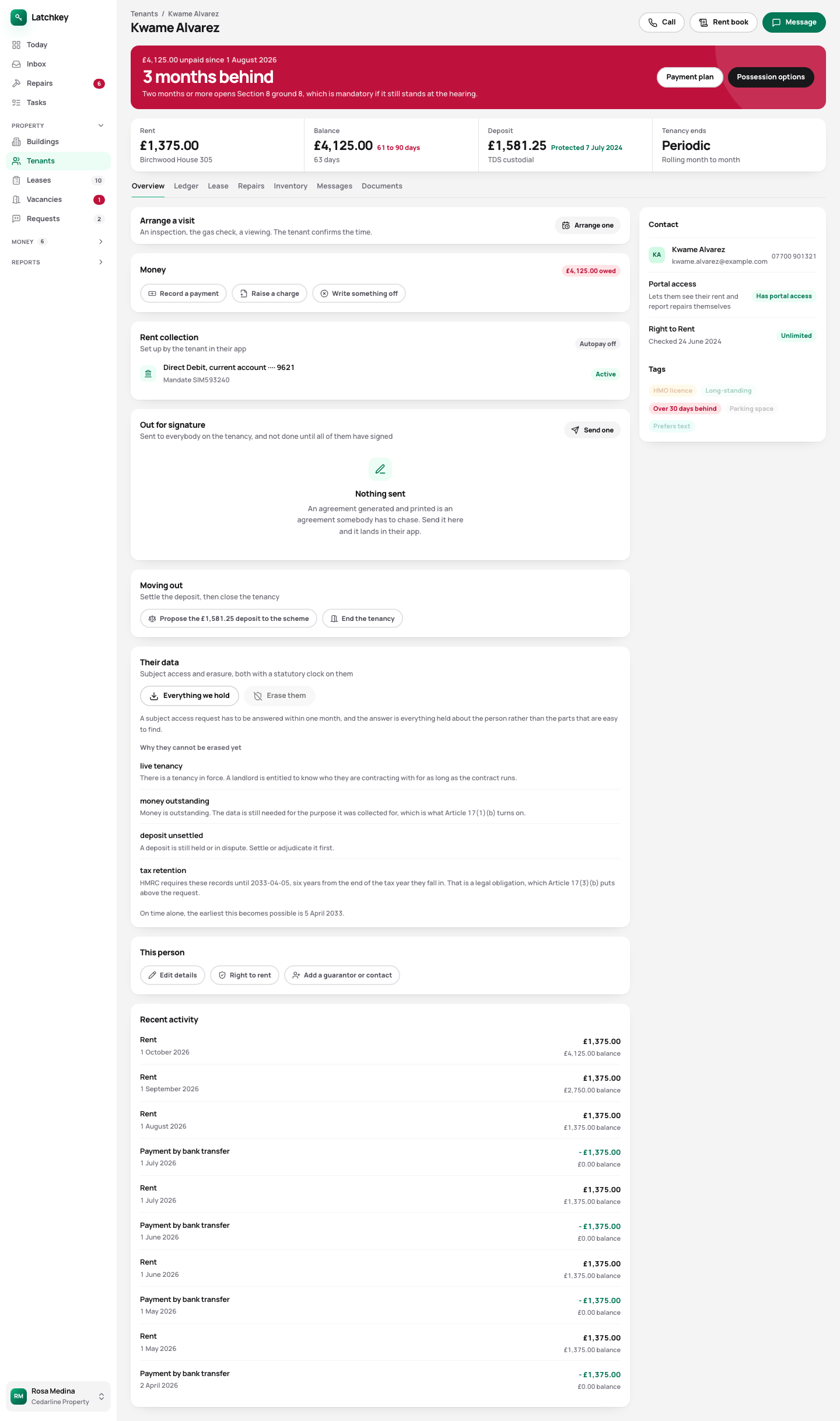 Open the whole screen
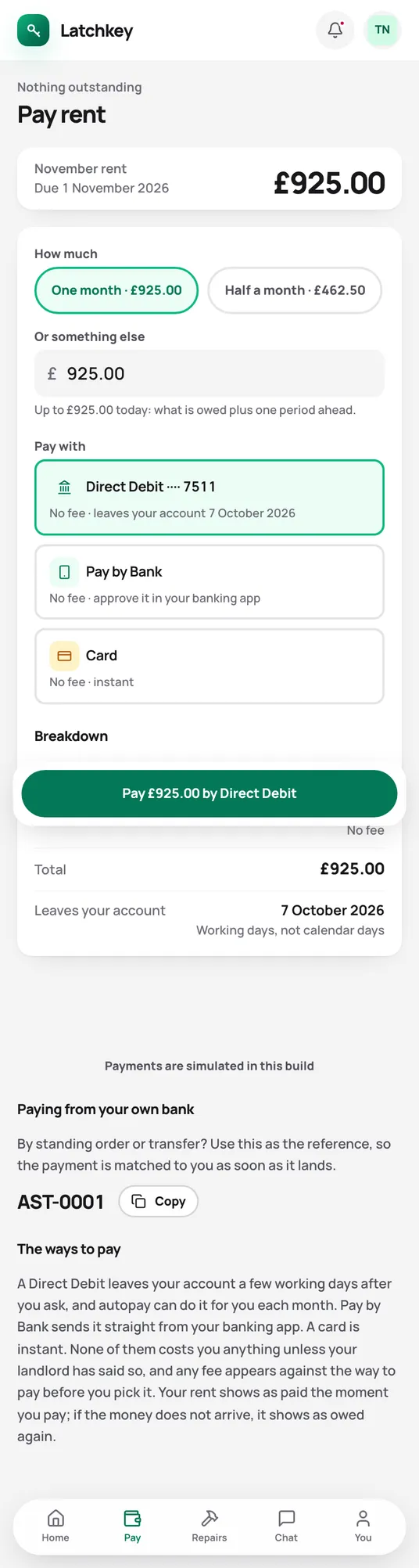
Fewer calls from your tenants.
Tenants see what’s due and the reference to pay it with. Soon: paying by Direct Debit, Pay by Bank or card in the app.
What the tenant app does for youThe rest of the job.
- Repairs and compliance Repair deadlines counted from the report, urgent jobs raised on their own, and certificates renewed before they lapse.
- Lettings and notices Viewings, Right to Rent, deposit deadlines, inventories, rent reviews on Form 4A and Section 8 on Form 3A.
- Tax and Making Tax Digital SA105 figures kept all year, quarterly figures for Making Tax Digital, and VAT and capital gains when you need them.
- Books and accounts Profit and loss, balance sheet and trial balance from one set of records, with view-only access for your accountant.
- Banking and bills Bank statements imported without duplicates, rules that suggest rather than post, and bills approved before they’re paid.
- Portfolio and budgets Valuations and equity, mortgage payments after the fixed rate ends, budgets and service charges.
- Documents and the team Templates with a preview, signing in the app, six team roles, a record of every change, and spreadsheet import.
Try it on your own portfolio.
The guided setup takes you through your first building, tenancy and tenant. Every feature is in every plan.
No card needed. Cancel from Settings.